


Moving $50k in monthly ad spend from Meta to Google seems straightforward until you realize your client's entire attribution model depends on that Facebook pixel data you're about to cut off. Conversion modeling may require 50 events per week, audience signals take 2–3 weeks to rebuild, and moving too fast can break both platforms' optimization targets.
Most agencies learn this the hard way—clients demand an immediate platform shift, performance tanks for weeks, and then the agency scrambles to explain doubled CAC or lost revenue. The problem is rarely the platform itself; it's how algorithmic learning and attribution depend on sustained signal.
Why channel migrations fail (and it's not the platform's fault)
Every ad platform builds an understanding of your converting audience over time. When you yank budget suddenly you destroy months of algorithmic learning: lookalikes, bidding baselines, and conversion patterns all become unreliable.
Example: a Meta campaign running 8 months at $12k weekly may have learned that users who watch 75% of a video then visit pricing within 48 hours convert at 3.2%. That dataset and bidding stability vanish if you cut spend 70% overnight; Meta starts testing random audiences and performance drops immediately.
Case study: an ecommerce agency cut Facebook spend from $60k to $15k overnight to move budget to Google Shopping. Revenue dropped 40% in two weeks. Google needed time to learn which feeds and search terms converted, while Facebook's remaining budget performed 3x worse ROAS. Recovery took 11 weeks and nearly lost the client.
The staged migration framework that preserves performance
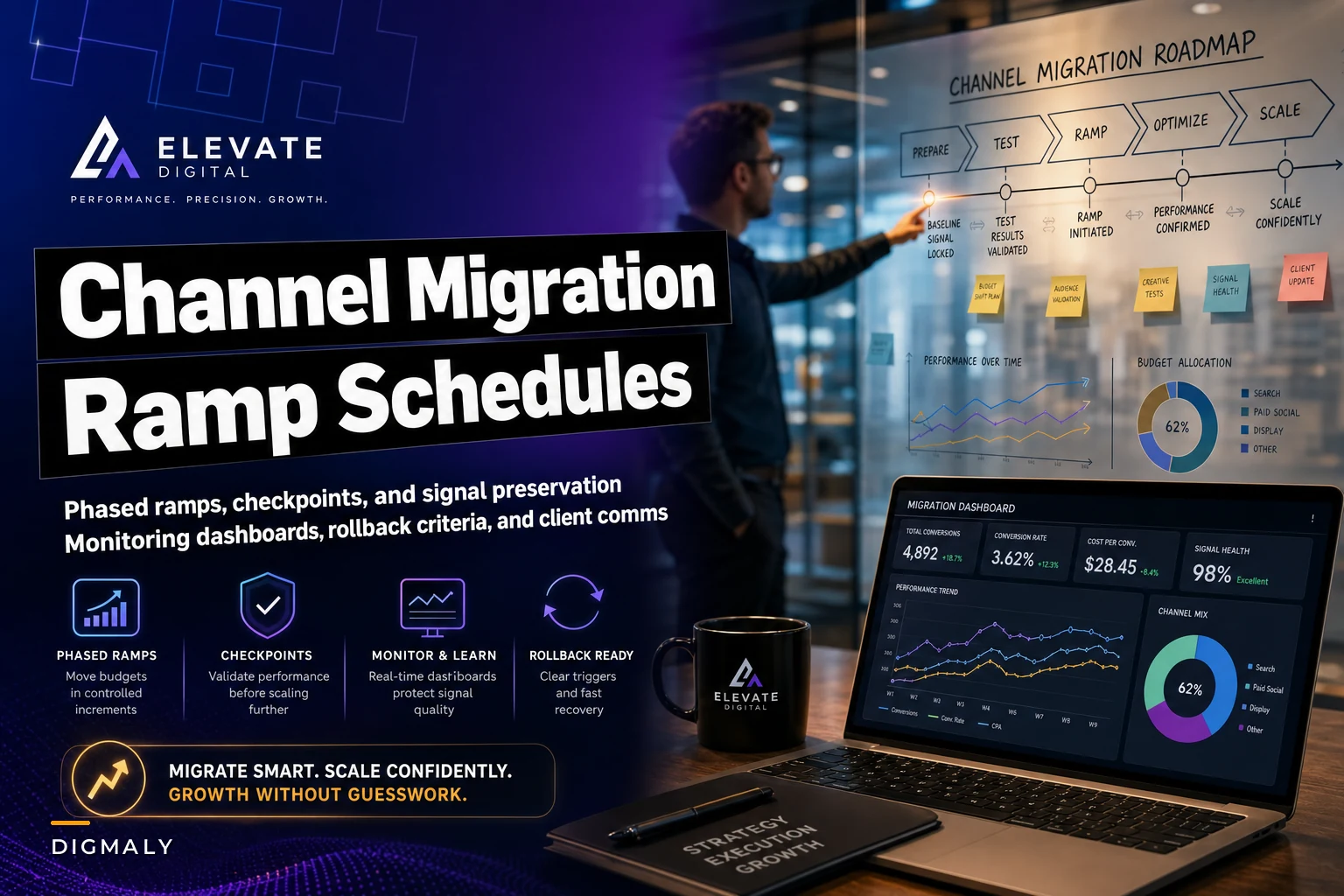
Accept that you're managing two learning curves simultaneously. A realistic migration timeline is usually 8–12 weeks. The framework below reflects experience from ~40 platform migrations and focuses on preserving signal while ramping the destination channel.
Eliminate marketing chaos with streamlined campaign control.
Digmaly lets you plan, execute, and track every campaign effortlessly.
- Unified campaign management
- Real-time client reporting
- Collaborative team workflows
No credit card required
Week 0–2: Baseline and infrastructure. Before moving budget, set up parallel tracking, confirm attribution windows align, and document granular baseline metrics (ROAS, spend, audience breakdowns, creative performance, time-of-day, geography). Agree on which metrics matter and which can be noisy during migration.
Week 2–4: Shadow testing at 10–15% spend levels. Start the new channel with new money if possible to avoid degrading the source channel. Use conservative placements (e.g., Shopping only, or TikTok retargeting to an email list). The goal is data collection, not immediate ROI.
During shadow testing watch for early warning signs: CPCs 3x benchmark, conversion rates far below expected, or tracking/landing page mismatches.
Week 4–8: Graduated ramp schedule. Once the new channel shows pattern recognition, begin a staged migration that includes deliberate hold periods so algorithms can recalibrate.
-
Week 4 — move 5% from original to new
-
Week 5 — hold and let algorithms adjust
-
Week 6 — move another 10%
-
Week 7 — hold
-
Week 8 — move another 15%
Hold weeks are critical. Changing spend every day prevents stabilization—think of tuning an instrument while someone keeps turning the pegs. Ramping incrementally preserves the source channel's optimization while giving the destination channel time to learn.
Monitoring dashboards that catch problems before they cascade
During migration you need monitoring that focuses on signal continuity, not just headline KPIs. Build a migration dashboard that flags anomalies automatically and shows both platform-level and blended performance.
Signal continuity metrics to track:
-
Conversion volume per campaign (ensure platform minimums remain met)
-
Audience match rates (lookalikes and custom audience health)
-
Frequency changes (sudden spikes indicate lost reach)
-
Cost per result stability (watch for wild swings)
Cross-platform alignment metrics to track:
-
Attribution overlap (how many conversions attribute to both platforms)
-
New versus returning customer mix
-
Time lag changes (conversion windows shifting)
Set automated alerts—for example, any metric moving 30% week-over-week triggers an investigation. Note: 30% alerts aren't always failures during migration, but they force a rapid check to determine normal volatility versus real problems.
Don't forget to watch the legacy channel. Many agencies obsess over the new platform and miss that Meta (in particular) can fall apart fast when spend drops below thresholds. A $30k monthly campaign may need $20k minimum to preserve optimization; dropping to $15k can double CAC in days.
Rollback triggers and recovery protocols
Define specific rollback criteria before you start. Vague language causes delays when teams and clients need fast, decisive action.
-
Combined ROAS drops below 2.4 for more than 7 consecutive days
-
CAC increases beyond $65 for 14 days
-
Conversion volume falls below 850 weekly across both platforms
-
Credit card decline rates increase by 15% (suggests traffic quality problems)
When a trigger fires, rollback must be immediate and decisive: pause migration, restore legacy spend levels, and allow 72 hours for algorithms to restabilize. Document the trigger, reference the agreed criteria, and communicate to the client with facts, not opinions.
Step-by-step rollback runbook and execution gates. Use predefined decision gates and atomic reversal steps so there is no debate about who stops spending.
| Component | Reversal Action | Authorized Role | Verification Check |
|---|---|---|---|
| Spend routing | Lower new platform daily budgets to baseline maintenance levels and restore full spending caps in legacy accounts | Senior Media Buyer | Verify active delivery status and spend pacing in legacy accounts |
| Creative assets | Unpause legacy campaign creatives and pause new-variant experiments on the destination platform | Campaign Ops Lead | Confirm legacy ad sets show active serving status without pending policy re-reviews |
| Audiences & exclusions | Switch bidding back to primary legacy custom audiences and restore original suppression lists | Media Buyer | Cross-check audience list reach against pre-migration baseline numbers |
| Product feeds | Relink product catalogs to primary legacy merchant endpoints if feed ingestion or tracking broke | Technical Integration Lead | Confirm catalog diagnostics report zero critical disapprovals or broken destination URLs |
Escalation contacts and roles:
-
Primary Executor — Senior Media Buyer (executes budget and creative toggles)
-
Technical Escalation — Tracking & Tag Specialist (handles pixel, feed, and parameter verification)
-
Client Escalation — Account Director (owns executive client sign-off and timeline communication)
Rollback and operational communication templates remove emotion and delays during urgent spend adjustments. Use short, factual messages to the team and the client.
Internal ops rollback order (send to execution team): "ROLLBACK INITIATED: Account [Client Name] hit rollback trigger [specify trigger condition]. Authorized executor [Name] is restoring legacy budget caps immediately. Pause newly migrated campaigns, verify legacy creative delivery, and log exact cutover timestamps in the change audit log."
Client incident notification (send after trigger activation): "Hi [Client Name], during our scheduled migration review, our safety gates flagged that [KPI Name] dipped below agreed performance guardrails. As outlined in our migration agreement, we have initiated our rollback: spend has been safely restored to your legacy account setup to protect revenue. We are pausing further platform budget shifts during the stabilization window while we review conversion lag data."
Post-rollback stabilization check (send upon stabilization completion): "Hi [Client Name], our restabilization window is complete. Core legacy campaigns are delivering normally at baseline efficiency [Current KPI Value]. Next steps and updated timelines will follow in our weekly migration check-in."
Client communication templates that prevent migration panic
Client communication is often more important than technical execution. Set expectations early and keep updates structured so clients understand volatility is expected during learning windows.
Pre-migration expectation document should include:
-
Timeline with specific phases marked
-
Expected performance for each phase, including temporary decreases
-
Weekly check-in schedule
-
Metrics that matter versus metrics to ignore during transition
-
Historical examples of successful migrations with performance curves
Structure weekly migration updates to reduce alarm:
-
Start with overall trajectory (on track / delayed / ahead)
-
Show planned versus actual spend movements
-
Include both platforms' performance separately and combined
-
Call out expected volatility before it happens
-
End with specific actions for the coming week
The "performance dip" message (use around week 3–4): "Quick update on the channel migration: We're seeing the expected learning phase impact we discussed, with combined ROAS at 2.1 versus our 2.8 target. This aligns with the migration timeline—Google needs approximately 300 more conversion events to exit the learning phase, which should happen by Thursday based on current velocity. Meta's performance has remained stable at reduced spend levels. No action needed, but wanted to keep you informed. Full weekly report coming Friday."
Preserving attribution through the chaos
Attribution often becomes the first thing clients question. Before migration, choose a single "source of truth" (commonly GA4 with proper UTMs or a dedicated attribution tool) and reference it in every migration report.
Explain that platform-reported ROAS will look distorted: Meta ROAS can inflate after spend cuts while Google ROAS looks poor during learning. Focus on blended metrics and communicate why individual platform numbers may be misleading.
Complex multi-touch models rarely hold up mid-migration because they need historical patterns. Prefer simplifying attribution (last- or first-click) until the migration stabilizes, then rebuild multi-touch models with fresh data.
When gradual migration isn't possible
Sometimes you must move immediately due to account suspension, policy changes, or feed disapprovals. In forced migrations focus on damage control rather than a full-scale ramp.
-
Move budget to the most similar platform mechanically (Meta -> TikTok, Google Search -> Microsoft Ads)
-
Start with retargeting and branded campaigns only
-
Accept CAC increases of 40–70% for the first 2–3 weeks
-
Communicate daily with the client about recovery timelines
-
Consider temporarily reducing total spend rather than forcing full spend through unready campaigns
Trying to immediately maintain full spend usually backfires. It's often better to spend less efficiently but sustainably than to push the same spend through immature campaigns.
Building migration memory into your operations
Over multiple migrations, patterns emerge: D2C fashion brands may need longer ramps than B2B SaaS; catalogs with thousands of SKUs migrate more slowly than small catalogs. Document these patterns and use them to set realistic timelines.
This is where building proper A/B testing workflows pays off. The same rigor used in creative testing should apply to migration testing. Document everything, measure consistently, and build institutional knowledge. See the A/B testing workflow template for agencies: useful anchor.
The operational reality of modern channel management
Channel migration will only become more common as retail media, new channels, and privacy changes reshape budgets. The agencies that win are those that turn migration into repeatable operations with monitoring, templates, and prebuilt dashboards.
Automate monitoring for signal degradation, use pre-built dashboard templates, and create client communication workflows driven by performance thresholds. Systematization lets teams handle multiple migrations without relying on heroic interventions from senior staff.
Your channel migration playbook is an operational differentiator. When clients panic you should be able to show a proven framework, concrete guardrails, and a predictable path to stabilization—not scramble.
Build migration capabilities into your stack, document patterns, and train junior staff on the playbook. Do that and platform shifts become predictable revenue opportunities rather than account-threatening emergencies.
Ready to elevate your agency's performance?
Join 2,000+ agencies using Digmaly to save time, boost efficiency, and deliver superior client results.